
eBanker Pro: – Your Digital Banking Solution for Business
Access your accounts, manage banking transactions and view e-Statements anytime, anywhere through our secure online banking platform.
New to eBanker Pro?
Choose one of the following registration methods to get started.
Option 1: Online Registration
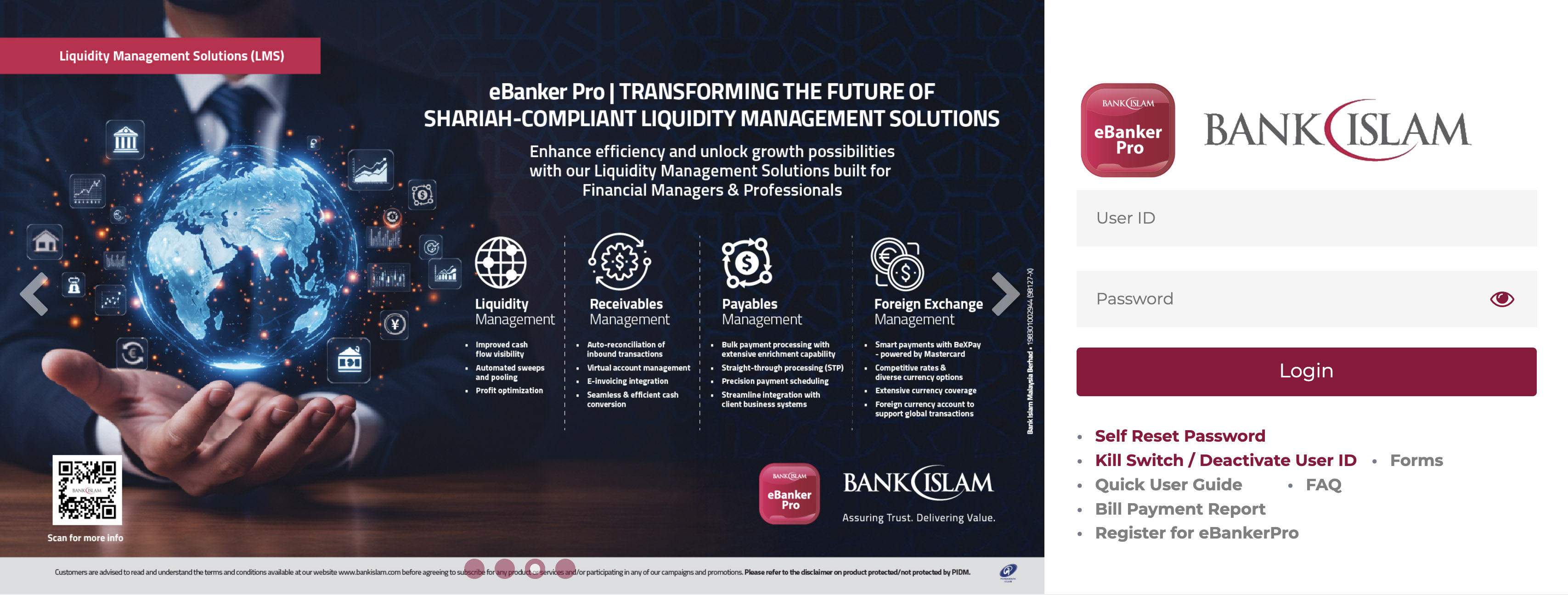
- Visit the eBanker Pro Login Page
- Click/Tap Register for eBanker Pro
- Complete and submit the online registration form
- Your registration will be processed and you will receive an email notification within five (5) working days once access has been successfully approved
- Log in to eBanker Pro to view and manage your e-Statements
Option 2: Form Submission
Alternatively, you may register by submitting the eBanker Pro Master Form:
- Download and complete the eBanker Pro Master Form from the Bank Islam Forms Portal: https://www.bankislam.com/forms)
- Submit the completed form through one of these channels:
- At your nearest Bank Islam branch
- Via email to gatekeeper.ebanker@bankislam.com.my
- You will receive an email within five (5) working days once your access has been approved
- Log in to eBankerPro to access your e-Statements
Need Assistance?
For enquiries or support regarding eBanker Pro, please contact our eBanker
Customer Service:
- Phone: 03-2782 1314 / 03-2782 1315
- Email: customercare@bankislam.com.my
Operating Hours:
Monday to Friday: 9:00 a.m. – 6:00 p.m.
Access Your e-Statements with Ease
If you are an existing eBanker Pro user and would like to access the e-Statement module, simply follow the steps below:
- Submit your request via email to customercare@bankislam.com.my
- Once your request has been processed you will receive an email notification within three (3) working days confirming that access has been granted
- Log in to eBankerPro to view and download your e-Statements
How to Download Your e-Statement
Step 1: Login in to eBankerPro
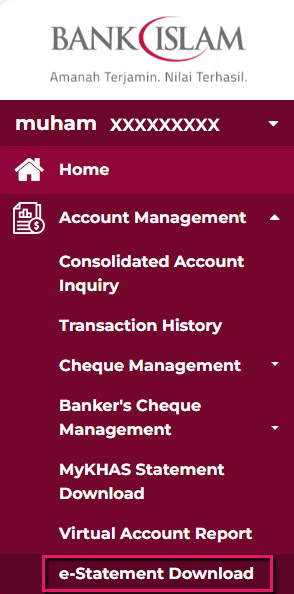
Step 2: Navigate to Account Management and select e-Statement Download
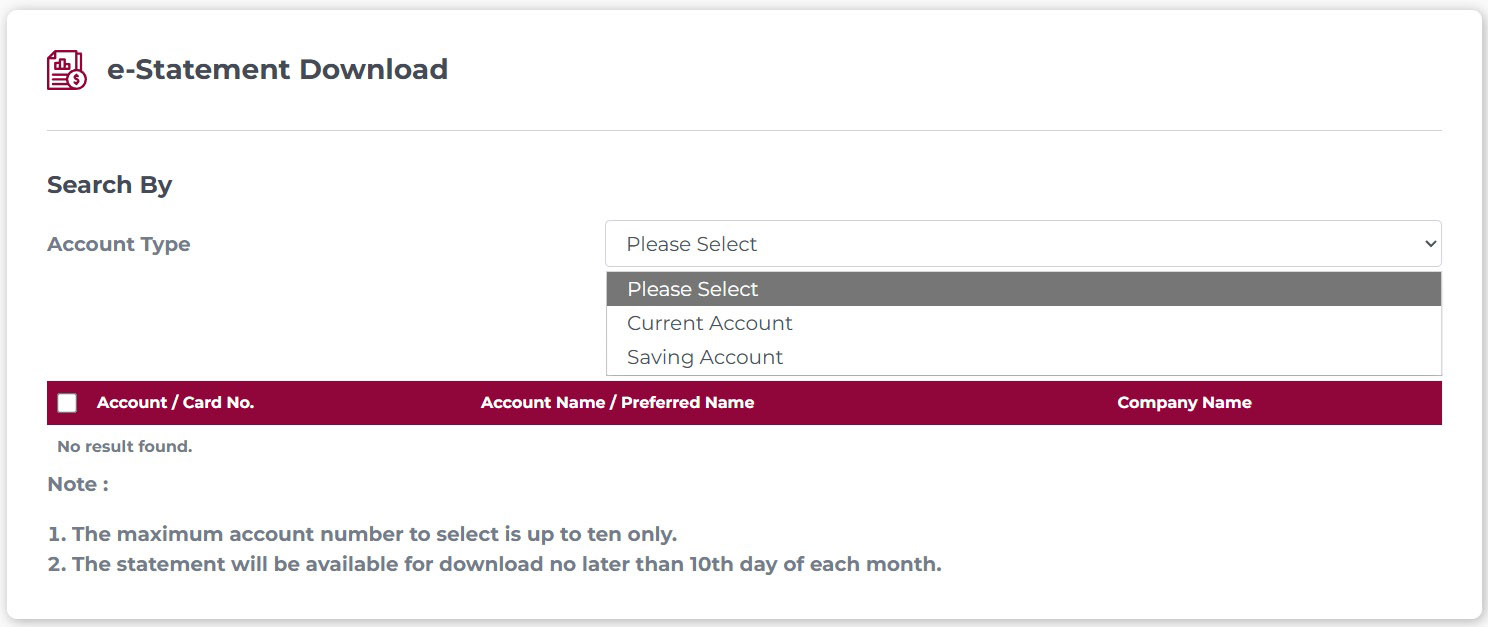
Step 3: Select the relevant Account Type:
- Savings Account
- Current Account
- Financing Account
- Credit Card
Step 4: Click/Tap Search. The system will display all accounts available under the selected account type
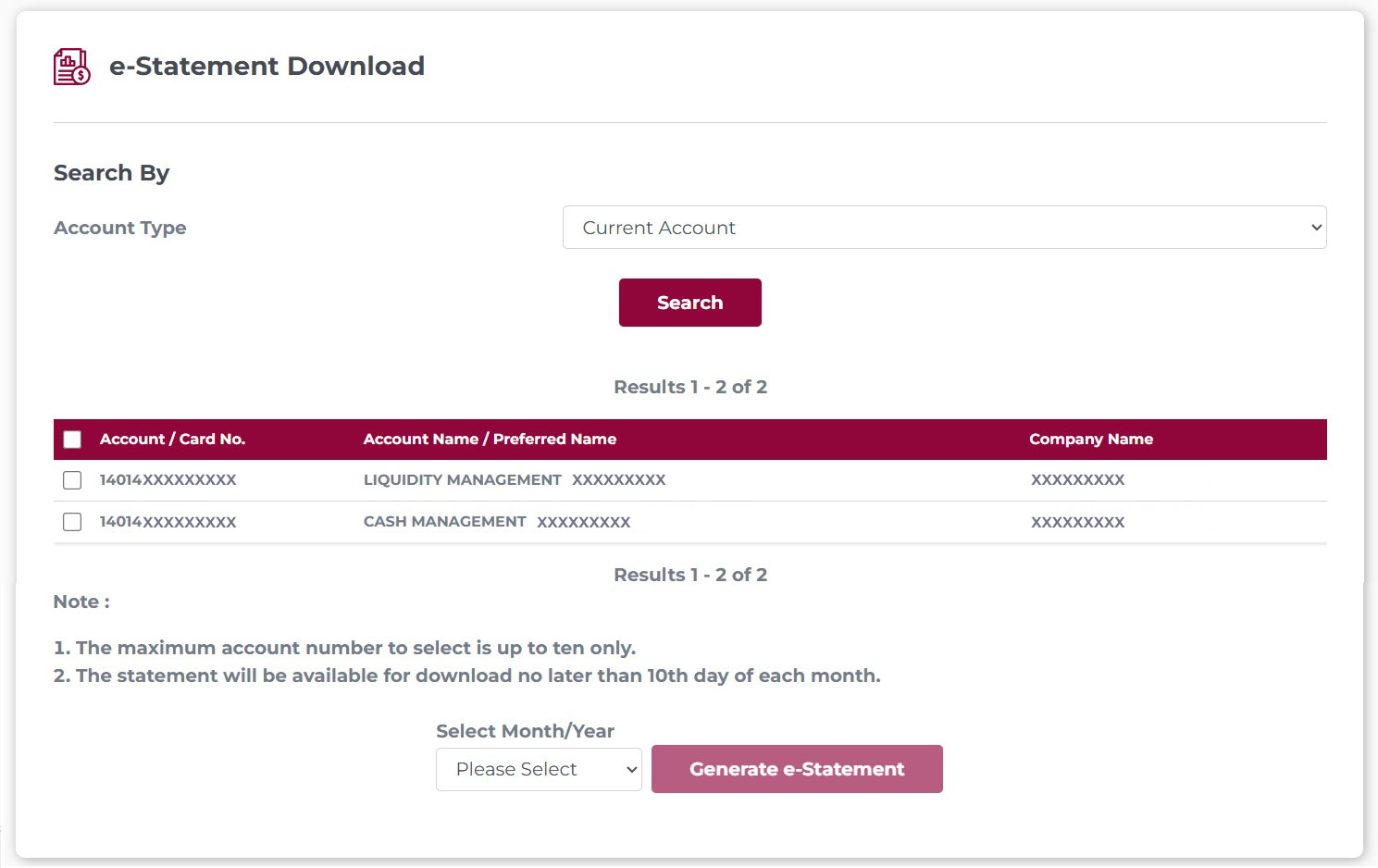
Step 5: Select the desired Account Number, then:
- Choose the required Month (statements are available for the previous six months)
- Click/Tap Generate e-Statement
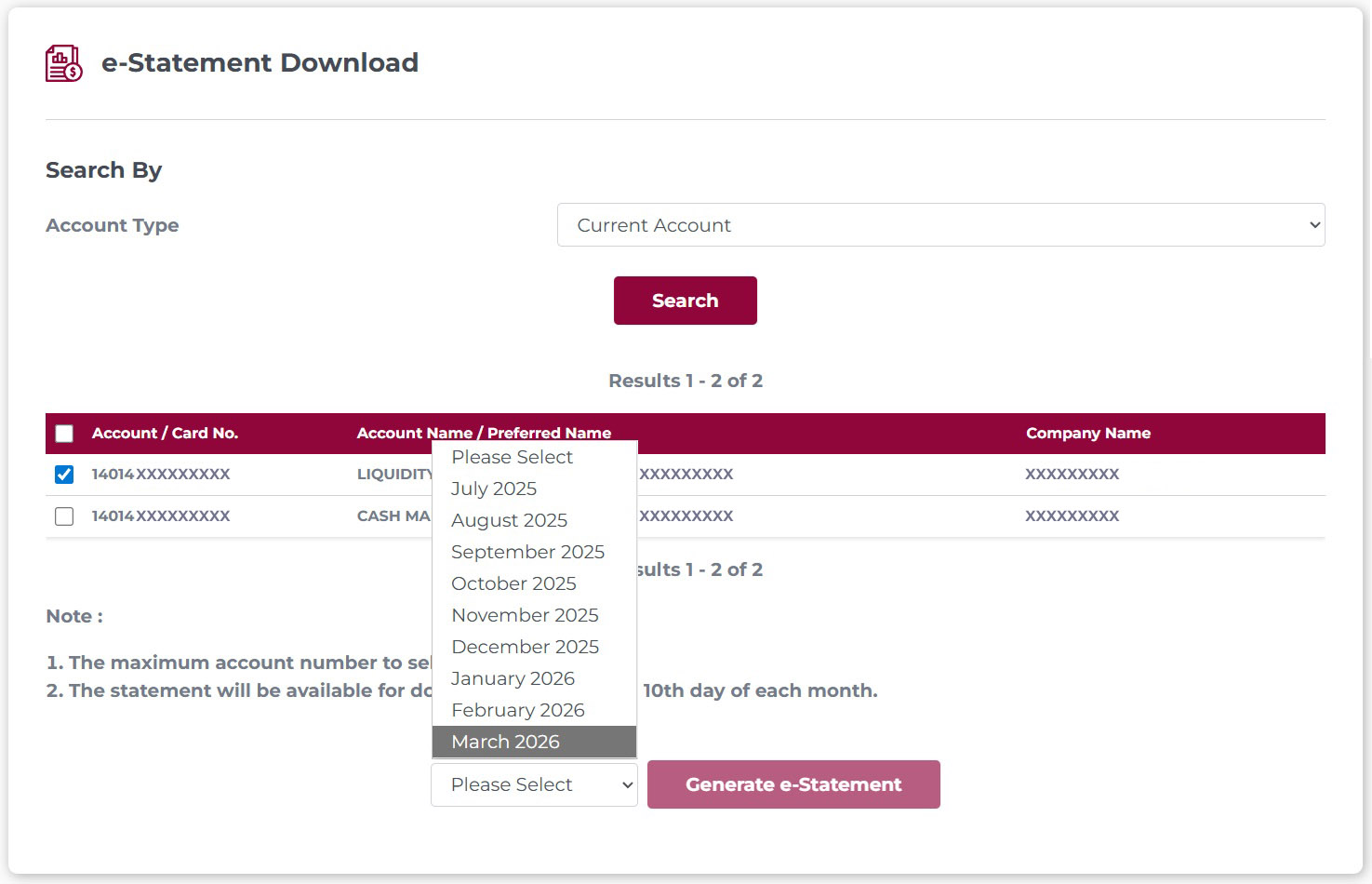
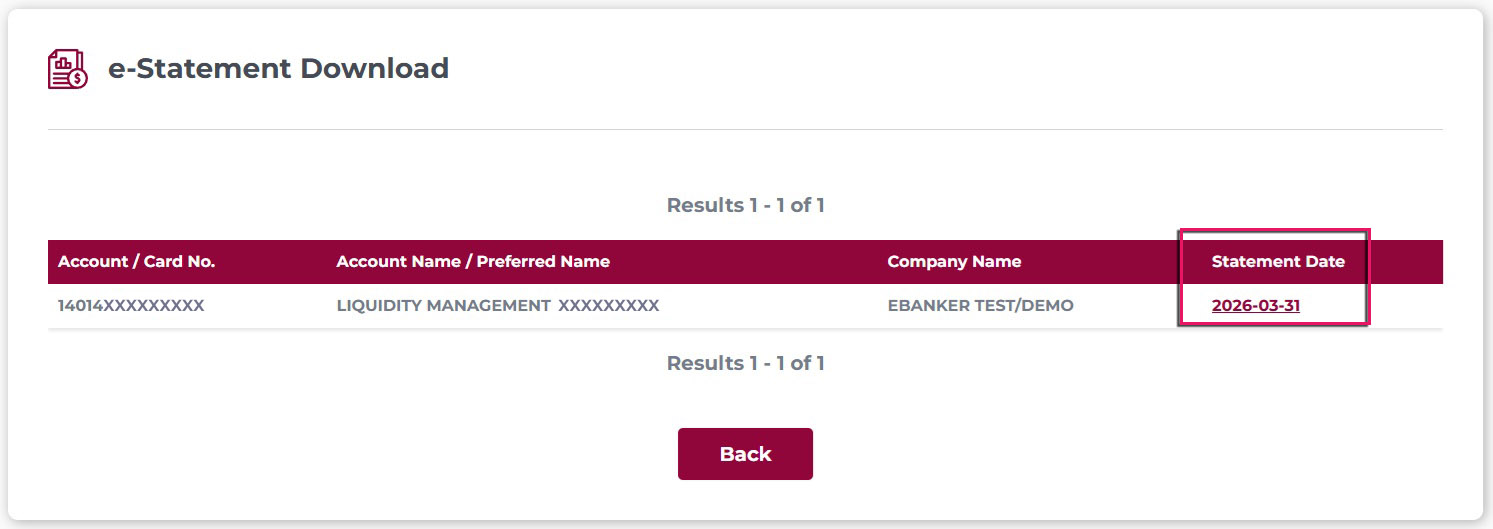
Step 6 : Click the Statement Date hyperlink to download the statement
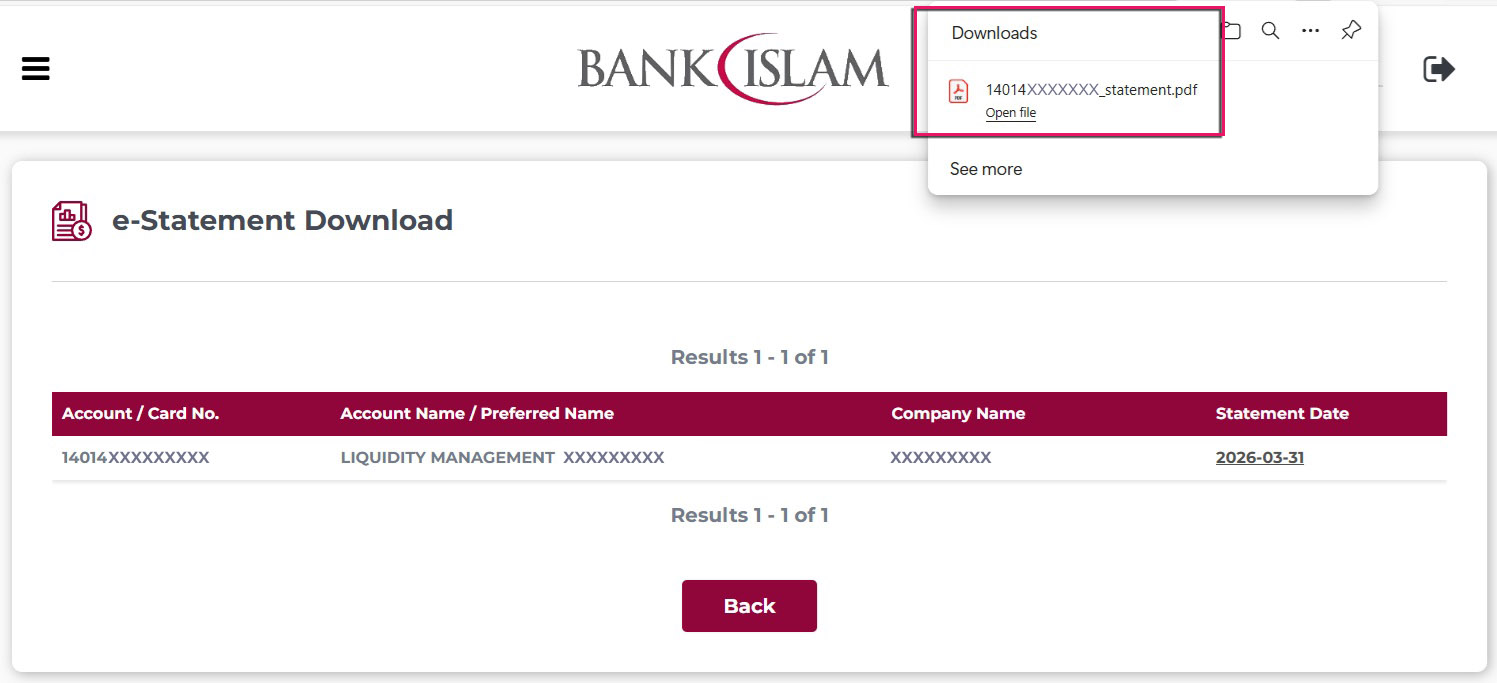
Step 7 : The statement will be downloaded to your device’s Downloads folder. Open the file to view, save or print it as needed.
Need Assistance?
For enquiries or support regarding eBanker Pro, please contact our eBanker
Customer Service:
- Phone: 03-2782 1314 / 03-2782 1315
- Email: customercare@bankislam.com.my
Operating Hours:
Monday to Friday: 9:00 a.m. – 6:00 p.m.
(excluding public holidays observed in the Federal Territory of Kuala Lumpur)